Lapsed, fee not paid4 drawings
Software & Apps · US 9,760,661 B2
Providing virtual optical disk drive
A method for providing a virtual optical disk drive (ODD) is provided.
US 9,760,697 B1 · Assignee: InteracVAULT Inc. · Inventors: Walker; Laura Sibley
Sheet 1 of 4 from the published document. All sheets in the USPTO PDF
Disclosed herein is a system for enabling secure data storage into a third party managed electronic vault. The electronic vault provides users with a secure location to store important documents, information, and data including but not limited to various forms of personal identifiable information (PII). The system features an interface that dynamically secures, encrypts, and protects data related to transmission, storage, and retrieval, as well as management components that regulate and authenticate access to the contents of the electronic safe deposit boxes (and subdivisions thereof) in the electronic vault. In addition, the system features comprehensive logic for completing and/or auto-filling forms, tracking and/or facilitating renewals of expiring credentials, providing reminders of important dates and events, managing multi-step processes, automatically adjusting security and authentication requirement based on one or more factors, and guiding and suggesting complimentary activities and considerations for detected user events.
Many financial institutions offer customers physical space or “box” in which they can secure valuables such as jewelry, money, and negotiable instruments as well as important documents such as life insurance policies, deeds, wills, titles, and so forth. These physical spaces are generally referred to as safe deposit boxes because such boxes are located within a bank's main vault which provides the primary physical security for the box and its contents. Customers generally pay a fee for the use of safe deposit boxes and often make use of these secured storage spaces prevent loss of the valuable items stored in these boxes that could arise due to fire, flood, theft, unintentional misplacement, natural disasters, or other undesired situations. Additional safeguards may also be utilized to ensure the safety and security of the contents of the safe deposit box. For example, a two-key system m
All 4 drawing sheets from the published document, cropped to the drawing.
What the patent claimed, word for word. All of it is now free to use.
Many financial institutions offer customers physical space or “box” in which they can secure valuables such as jewelry, money, and negotiable instruments as well as important documents such as life insurance policies, deeds, wills, titles, and so forth. These physical spaces are generally referred to as safe deposit boxes because such boxes are located within a bank's main vault which provides the primary physical security for the box and its contents. Customers generally pay a fee for the use of safe deposit boxes and often make use of these secured storage spaces prevent loss of the valuable items stored in these boxes that could arise due to fire, flood, theft, unintentional misplacement, natural disasters, or other undesired situations.
Additional safeguards may also be utilized to ensure the safety and security of the contents of the safe deposit box. For example, a two-key system may be used wherein the customer, upon proof of their identity, possesses a unique key for the box that works in combination with the financial institution's master key to gain entry to the box and access to the box's contents. Of course, given modern advances in security technology, many banks are also incorporating newer technologies to enhance the physical security and further restrict unauthorized access to safe deposit boxes. For example, many banks may use physical biometric authentication technologies to measure and analyze human physical characteristics in order to further validate the identity of the customer for authentication purposes. Fingerprints, retina scans, facial feature recognition, and so forth can also be used to confirm identity of the box owner and thereby restrict entry to unauthorized personnel based on physical features and/or characteristics unique to the customer.
The ability to store information electronically has changed the way we access and use information. For example, the Internet allows users to access, share, send, receive, execute, and destroy electronic documents from remote locations. As a result, important information such as credit card numbers, traveler cheque numbering, or detailed passport information can be stored electronically and accessed in the case of emergency from any location featuring Internet access. These documents, however, must still be protected to prevent unauthorized people from gaining access to the sensitive information therein.
Consequently, in addition to the aforementioned physical solutions for protection and security of high value documents and other items, several attempts have been made to provide an electronic equivalent of the bank safety deposit box for storing and securing customer copies of documents and other sensitive or private information. Many of these attempts have focused on the archiving, retrieval, and use of electronically-stored information (data, documents, etc.) such as bank records, account statements, insurance policies, tax returns, legal agreements, and other writings that permit access by the customer via a secured connection over an open network, as well as recording and reporting the access to and activities performed with such electronically-stored information, data and documents. Other attempts have also been made to provide document sharing, delivery, and execution via electronic means to gain benefits and efficiencies not possible with traditional mail, overnight delivery, private courier, hand delivery, facsimile, or email as these existing approaches have inherent disadvantages and shortcomings (e.g., cost, labor-intensive, slow, and/or insecure).
However, past attempts at providing electronic document storage and protection have been largely unsuccessful due to the inability of these systems to balance security with ease of access, as well as failing to provide any features or conveniences that help ensure not only the security of the stored files but also the continuing validity of the information, data, and documents represented by those files.
Various implementations disclosed herein are directed to electronic vault systems for secure storage of electronic data, these systems comprising one or more of the following features: a user interface for enabling a user to interact with the system via a communications network; an identification module for identifying the user; a validation module for validating the user's access to and permissions for at least one electronic vault based on a dynamic security level for each of the at least one electronic vaults; at least one electronic safe deposit box for storing electronic data corresponding to a specific customer; a storage module for storing electronic data in the at least one electronic safe deposit box; a retrieval module for retrieving electronic data stored in the at least one electronic safe deposit box; and a smart module for performing at least one supplemental service from among a plurality of supplemental services comprising sending a reminder, send a renewal notice, performing a renewal, and performing a recommendation.
Various additional implementations disclosed herein are directed to methods for storing an item of electronic data, these methods comprising one or more of the following features: storing at least one item of electronic data in an electronic safety deposit box; and in response to an access request from a user for the at least one item of electronic data in the electronic safety deposit box: determining a current level of security for the electronic safety deposit box and a set of corresponding credentials necessary for the user to access the electronic safety deposit box, prompting the user to provide the set of corresponding credentials for access to the electronic safety deposit box, and validating the user and granting access to the at least one item of electronic data in the electronic safety deposit box in response to the set of corresponding credentials provided by the user.
Alternative implementations disclosed herein are directed to non-transitory computer-readable storage media comprising computer-readable instructions for retrieving an item of electronic data from electronic storage, these computer-readable instructions comprising instructions that cause a processor to perform one or more of the following: determine a current level of security for the electronic safety deposit box and a set of corresponding credentials necessary for a user to access the electronic safety deposit box wherein the level of security is based at least in part on the contents of the electronic safety deposit box; validate the user and grant access to the at least one item of electronic data in the electronic safety deposit box in response to the set of corresponding credentials provided by the user; and provide at least one supplemental service from among a plurality of supplemental services comprising sending a reminder, send a renewal notice, performing a renewal, and performing a recommendation
This summary is provided to introduce a selection of concepts in a simplified form that are further described in the materials included herewith. This summary is not intended to identify key features or essential features of the claimed subject matter, nor is it intended to be used to limit the scope of the claimed subject matter.
The foregoing summary, as well as the following detailed description of illustrative implementations, is more fully understood when read in conjunction with the drawings provided herewith and the appended drawing described below. For the purpose of illustrating the implementations, there is shown in the drawing(s) example constructions of the implementations; however, the implementations are not limited to the specific methods and instrumentalities disclosed. In the drawing(s):
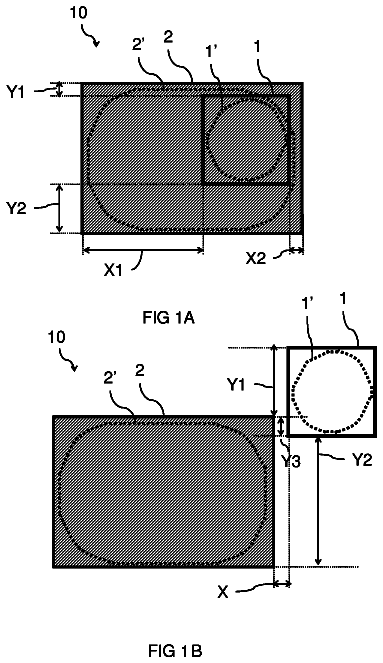
FIG. 1 is a first collection of graphical information related to various implemenations;
FIG. 2 is a second collection of graphical information related to various implemenations;
FIG. 3 is a third collection of graphical information related to various implemenations; and
FIG. 4 is a block diagram of an example computing environment that may be used in conjunction with example implementations and aspects disclosed herein.
As disclosed herein, an electronic vault (EV) system may comprise one or more electronic safe deposit boxes (ESDBs) to provide means for storing electronic files representing written information, data, and other documents on a customer by customer basis, and to secure these files by enabling only the specific customer for that ESDB to access the files therein upon sufficient confirmation and validation of the customer's identity. In a simple system, each customer may have a unique user identification, password, and personal identification number (“PIN”) that provide the user with access to the electronic files contained in their ESDB. In addition, authentication mechanisms employed by the EV system might also include a rendering component capable of recreating documents from the customer's ESDB to the customer in a legally presentable and/or electronically notarized form.
An EV system may also allow the customer to designate third party delegates to access all or a portion of the contents with the ESDB on the customer's behalf. The delegates may only have specific permissions such as viewing or printing specific documents but have no ability to modify or delete such documents, depending on the specific access permissions granted to the delegate by the customer for the specific document. In addition, the system may also track the activity of delegates within the customer's EDSB and provide automatic notification to the customer when a delegate accesses the ESDB as well as detail the actions performed by the delegate while in the customer's ESDB. The EV system may also provide means for compartmentalizing written information, data, and other document files into predefined and/or user defined groups or compartments for easier management by the customer when providing access permissions to delegates for several related files at a time.
The EV system itself may be stored in a secure location controlled by a third party such as a financial institution or other commercial depository featuring strong physical security over the EV system components (i.e., the storage devices and processing equipment). It will be appreciated that certain institutions specializing in information security and EV system operations may in fact have or develop a trusted reputation among users who are thereby more likely to become customers and entrust their most sensitive personal data, documents, and other sensitive information to these storage locations.
Generally, the EV system may include an interface component and a management component which provide users access to the contents of an ESDB. In operation, a customer or other entity with access permissions may then transmit data, documents, and other sensitive information by way of the interface component to the ESDB to the extent permitted by the customer and monitored and controlled by the EV system management component. The interface component may provide secure transmission capabilities using, for example, the SSL (secure socket layer) protocol to help protect the customer's data during transmission. In addition, the interface component may provide encryption capabilities and digital signature services for enhanced security, authorization, and execution. Moreover, although the interface component and the management component may be implemented as separate and distinct components, it is to be understood that these components (and all others described herein) may instead be co-located and that multiple interface components and/or management components may be employed in a single component to integrate and facilitate storage/retrieval services in connection with the ESDBs provided by the EV system. Regardless, an EV system provides a trusted, secure, and heavily protected storage service whereby customers can store electronic information with security not available with conventional remote backup systems.
The features, functions and benefits of EV system can be employed in many scenarios, including but not limited to business-to-business (B2B), business-to-consumer (B2C), business-to-government (B2G), consumer-to-government (C2G), and consumer-to-consumer (C2C) environments. In the B2C context, for example, an EV system may provide auto warranty storage and expiration notification, insurance assets inventory services, instant asset inventory document storage for goods purchased, and so forth. In the B2G context, for example, an EV system may provide for Internal Revenue Service (IRS) audit reporting services, document recovery and certification, legal documentation recovery and certification, etc. In the C2G context, an EV system may provide for automatic mail storage via electronic means, automatic filter of junk mail, and other services. Of course, while specific examples are described herein, other examples exist that are to be included within the scope of this disclosure and claims appended hereto.
Such an EV system may also provide assistance in the recovery of sensitive information that is lost or damaged due to unforeseen events. For example, the recover of identification, checking account, and home insurance information can assist customers in recovering from life-altering events such as natural disasters, fire, and theft, for example. Although critical documentation and information may be lost or destroyed, the ability to maintain a readily-accessible copy of critical documentation, information, and other data can help protect a customer from treble effects stemming from unforeseen disasters by providing a proactive solution to ensuring that key information is protected, secured, and immediately accessible.
A SmartVault system is an EV system that not only secures and protects a customer's sensitive document, information, and data, but also provides the customer with several enhanced features including but not limited to “remind,” “review,” and “renew” as discussed herein. Featuring a dynamic and flexible task management system, the SmartVault system helps customers prevent having a document expire or become outdated by providing a suite of services to access and process identification, legacy, medical, insurance, legal, educational, and financial information for the customer as well as the customer's spouse, family, employment, assets, and interests.
General Technical Details
Since the inception of identification, a checking account, and a home insurance policy, governments, banks, and insurance companies had little or no answers to get clients back on track after life-altering disasters occurred. The lack of critical documentation because it was destroyed in these natural disasters left victims exposed and displaced for weeks, month and sometimes years. There is a significant need for one's critical documentation to be secured and available on-line! The impact of natural disasters on economic well-being and human suffering has increased alarmingly as the human condition becomes more sophisticated and costly. Again and again in recent history, we have witnessed an overwhelming disaster unfold and helplessly watch as numbers of people have been displaced from their homes and belongings. In general, disaster responses have tended toward the reactive and tactical, when a proactive and strategic approach would have had longer-term benefits. The financial cost of responding to the most recent events has stimulated particular interest in creating a globally available product suite that supports down to the local level to proactively respond to this crisis. The result of producing technology that helps to rebuild after a disaster has enhanced recovery time and costs savings. To the individual, disasters are personal. Unable to escape hurricane Katrina, a wallet in the pocket of her victim who swims out of the flooded Bourbon Street in New Orleans to safety would be the difference of instant identity vs. emergency shelter just sustaining until one is reclaimed with documentation. To a traveler on a business trip in front of a car rental counter in need of a vehicle suddenly learns that their driver's license has expired two weeks earlier and cannot process the rental agreement for the car feels equally vulnerable in that moment! That poor man who comes in the door at the end of a long, work day empty handed, only to be greeted by his beautiful wife, handing him an anniversary gift that he completely forgot about is devastating to him. As these images conjure personal memories that made one susceptible, SmartVault products solve all of these challenges with smart document management tools of renew, review, and remind with proper reward and our process delivery is seamless and effortless because it is customizable and dynamic to the user. Once critical documentation is securely added to our system, event after event, year after year, this tool will simplify life, effortlessly assist you in getting things done, and you will never be exposed again.
Everything humans do in our fast paced world starts with a piece of paper. Our lives are a succession of document retrieval, management, date notation, action, completion, related item attachments and storage. The purpose of SmartVault is to secure, remind, review, and renew all documentation necessary with the related items and documents in digital “hand” to keep our user's prepared and simplify life's GTD's (getting things done). Our dynamic and flexible task management system makes life processes easy and effortless! Our process is what identifies us as ‘unique’ within the store-in-one-place, cloud SaaS industry. We are not one of the countless virtual storage bins, our customers will never have a document expire or become outdated. Our customers will always be empowered in their tasks with related documentation, relevant items, issuing or purchasing institution information, and customized appropriate timeline delivered to choice email, text or IM. Always and with ease, our clients will keep their life's GTD's current and completed on time. Our sophisticated suite of products provides access and in-processing to identification, legacy, medical, insurance, legal, educational and financial information for the client, spouse and family, secured to the item. Our clients will mitigate risks and start rebuilding instantly what is about to expire or worse, lost. Whether they lose their wallet, their house, or the unimaginable, a loved one, SmartVault virtual containers will insure that customer's critical documentation and contents are available in seconds, anywhere there is with an internet connection so that recovery is only a click away. Our client's home is typically their single largest investment, and our personal content inventory container keeps up with belongings, insurance policy and riders, home maintenance and improvements. Their families most precious, irreplaceable items are picture collections of life moments, and family picture albums are secure, available and actively manageable.
How do we get people to use the system? Our checklist technology! We have custom, preloaded checklists and checklists that the customer can create on their own. Our “On the Move” custom New Member checklists will gently walk a new user step by step from novice to seasoned user with 2 to 3 simple tasks a day. As the uniformed personnel steps through their tasks, the details requested will build wizard military forms for the following military life transition events:
Deployment;
PCS Stateside;
Separation from the Military; and
Civilian.
Quick wizard step logic skits will direct the user to learn about the system as-they-go, and by the end of each move sequence, all the forms required to make these moves will be filled out with instructions on where is submit before the deadlines, and all money owed from the military will be estimated down to the pennies for ultimate advance with minimal to no repayment. The timeline of tasks is flexible and dynamic, and the uniformed personnel can re-assign tasks to their shared loved ones. Because the system is secured down to the file, sophisticated security privileges shares what the member wants, and secures those files ‘for their eyes only’. All personal content, legal, legacy, id, medical, tax, housing, school information, spousal employment, auto, insurance and finance management will be address, filed, and set with review and renew dates. Once the military or civilian member ‘makes their move’, every event in life will be organized, easily retrieved, and effortlessly managed.
Our Welcome to SmartVault! Custom New Member Checklists will gently walk a new user, step by step from novice to seasoned user in less than 90 days! Wizard step logic will assist the user so that time in the system is just minutes at each interval! The timeline of tasks is flexible and dynamic, and the client can re-assign tasks to their shared loved ones. Because the system is secured down to the file, sophisticated security privileges shares what the member wants, and secures those files ‘for their eyes only’. All personal content, legal, legacy, id, medical, tax, housing, school information, spousal employment, auto, insurance and finance management will be address, filed, and set with review and renew dates. Once the military or civilian member ‘makes their move’, every event in life will be organized, easily retrieved, and effortlessly managed.
The very reason we are in business is to enhance our client experience in a confidential and ethical way. Our business model employs a strategic business alliance as an entrusted, professional banking and insurance OEM. We are a service provider client accessible as a button interface on the back wall of an entrusted and talented financial/insurance institution's website to protect their member's critical documentation. Unlike antiquated brick and mortar security bank boxes, the financial institution can provide a leading edge virtual box that the bank can profit from as a new product offering. This exceptional service affords a member worldwide retrieval the documentation that traditionally was only accessible in one location. That is just the baseline of convenience and service! In addition to the ease of accessing data worldwide securely and safely; we at SmartVault using our own special processes within our integrated product suite will provide effortless renew, review, and reminders of our expiring documentation, a family outing, a social meeting, and our most special gift giving occasions. Our rewards not only enhance and save money for our clients, our OEM Partners benefit as well: a lucrative ROI Matrix that calculates 3 fold:
SaaS-monthly subscription that targets the client congregation of our OEM Partner;
recommend technology to up-sale across the product brands with our Active Analytics; and
redundant storage and defer risks by being responsible for all data stored within SmartVault and the OEM Partner is not responsible for the security and can benefit from a soft dollar savings with the redundant storage of their data.
The UNIVERSALWORKSPACE application portal provides the foundation for the STORESECURE, LIFEPROCESS and REMINDME products. The portal provides common services such as secure login and logout services, real-time support chat service, context sensitive online help, powerful search capability and a user profile where a user can specify preferences and share settings.
Once a user is authenticated the first thing they see is the SmartVault dashboard. The dashboard home page provides all kinds of useful information, news, promotions, usage statistics and reports, displayed in a customizable “at a glance” easy-to-use user interface. From the dashboard home page the user can navigate to the STORESECURE and LIFEPROCESS products.
Users can access a number of common functions that are available in all SmartVault products by clicking the corresponding icon on the main toolbar: Customer Support Real-time Chat; Portal Search; User Profile/Share Settings; Online help; and Log out.
If the SmartVault portal is accessed from being logged into a member site, basic users will be automatically logged into the portal using their Single Sign-On (SSO) credentials. Power users may be required to enter secondary credentials or utilize an authentication token emits One Time Passwords (OTP) in addition to their SSO credentials. If the SmartVault portal is accessed directly, the user will need to authenticate by entering their credentials into a logon page.
The portal uses an innovative risk based authentication where the member starts out with basic authentication. As the individual adds sensitive or Personally Identifiable Information (PII) to the application, the system reassesses and automatically increases the security sufficient to the level of risk. As the risk level increases, the more complex the authentication required to authenticate the user. Casual users with minimal sensitive document can log into the system with basic authentication using a Single Sign-On token (or simple username/password if application is standalone). Users who manage all of their sensitive life documents will log in using two-factor authentication, which consists of the base username/password authentication (something the user knows) with a physical authentication device (something the user has) that generates a One Time Password (OTP).
To help a user with the initial setup and to ensure that the user never starts with a blank page, the Initial Setup Wizard guides the user. The very first time a user logs into the SmartVault portal, the Wizard is automatically launched. The wizard interviews the user to collect personal information, family information, preferences, security questions and sharing settings. The wizard initially configures the following settings: Standard personal user information (e.g. first, middle, last name, sex, birth date, birth place, address, phone numbers and e-mail address); Names of family members and their relationships and power of attorney to establish special groups that can be used for sharing; Location information (e.g. State/Province); Type of user (e.g. Civilian or Military, student or employed and occupation type); internationalization and localization (e.g. Time zone, date format, number formats, quotation symbols, currency and language settings); Security settings (e.g. challenge-response questions); Sharing settings (e.g. initial sharing settings); Notification settings (e.g. mobile phone number for SMS and email addresses); and Portal personalization settings (e.g. dashboard layout and content and portal theme).
The user profile information is used to initially configure the system so the user never starts with a blank page. It uses the information to setup which navigation containers are visible, configure placeholder templates for national identification numbers and State/Province identification, and setup initial file sharing capability. All user information is saved to the User Profile/Share Settings page and can be modified by the user at any time.
The SmartVault portal provides real-time customer support using a Web-based chat client with passive browser screen sharing capability. Clicking the Customer Service Chat icon on the main toolbar opens a support chat window. The chat window allows you real-time access to talk with a customer support person to ask a question or to discuss an issue. At the bottom of the chat window support phone numbers are provided. If further interaction is required, screen sharing can be established to allow the customer support person to see what the user is doing or review the documentation or form in question. They can even assist the member in digital signature authentication discussed in our Initial Setup Wizard.
The portal search is available across all applications and can be used to quickly locate a document, task or event. Clicking the Portal Search icon on the main toolbar opens a basic search window. The search uses free text (similar to a web search engine) to search for a document, task or event. The search engine supports “AND”, “OR” and “NOT” logic operators and wild card characters. Basic search capability searches all document/task/event template metadata, attachment file names and associated notes and keywords. The user can specify scope of which product to search in or can choose to search across all products. At the bottom of the window is the “Advanced Search” link which enables the ability to specify additional search criteria such as date ranges, document types and document size. The search also provides full (PERL) regular expression pattern matching.
The user profile and sharing settings can be used to change user profile information, application settings and sharing permissions. Clicking the User Profiles/Sharing Settings icon on the main toolbar opens the profile window. From profile window, the user can edit their user profile and sharing settings by clicking on the “Edit Profile” link. If user has ability to access other user's documents and tasks (i.e. another user has shared documents and tasks with the user), then each user that can be accessed is listed below the currently logged in user. Clicking on another user's profile will allow the user to see documents, tasks and events that user has permission to access. The user profile saves user settings, preferences, security and sharing settings: Standard personal user information (e.g. first, middle, last name, sex, birth date, birth place, address, phone numbers and e-mail address); Names of family members and their relationships and power of attorney to establish special groups that can be used for sharing; Location information (e.g. State/Province); Type of user (e.g. Civilian or Military, student or employed and occupation type); internationalization and localization (e.g. Time zone, date format, number formats, quotation symbols, currency and language settings); Security settings (e.g. challenge-response questions); Sharing settings (e.g. initial sharing settings); Notification settings (e.g. mobile phone number for SMS and email addresses); and Portal personalization settings (e.g. dashboard layout and content and portal theme). All user information in the User Profile/Share Settings page and can be modified at any time.
The dashboard home page is the first page that a member sees once they have logged in. The page provides useful information, targeted promotions and advertising, usage statistics and event log. The layout of the dashboard is customizable and can be configured in the user profile page. From the home page the member can navigate to STORESECURE and LIFEPROCESSOR. The dashboard contains useful information and tips on using SmartVault products, benefits of storing and managing the member's life documents, home inventory, calendar events and TODO tasks in SmartVault products, privacy and security best practices, as well as useful 3rd party articles on securing, simplifying and organizing member's life. The dashboard contains a couple of sections that prominently display targeted special offers, promotions and advertising that is useful to the member. Often these are advertising for banking or insurance or military support services.
One of the most useful sections of the portal is the user statics section where the member can see all of their usage statistics “at a glance”. The usage information includes: Items created this year; Items created this month; Items created this week; Items created today; Total items created by container; Total items created overall; Pie chart of total items created by container; Line graph of items created this year; Files uploaded this year; Files uploaded this month; Files uploaded this week; Files uploaded today; Total files uploaded; Pie chart of total files by file type; Line graph of total file uploaded this year; Tasks created this year; Tasks created this month; Tasks created this week; Tasks created today; Total tasks created; Line graph of total tasks created this year; Calendar events created this year; Calendar events created this month; Calendar events created this week; Calendar events created today; Total calendar events; Line graph of total calendar events created this year; disk space used; disk space free; Total Disk space available; and Line graph of total file size in bytes uploaded this year.
The dashboard event log shows the last 25 actions/events that occurred in the member SmartVault account. Events include additions, modification or deletions of items, uploaded files, tasks, notes, etc. If a member wishes to see more than 25 actions, they can click on a link that provides access to the Event log report that shows all events for a specified period.
The STORESECURE product provides the user with the capability to store and manage their critical life documents in an organized, secure, and highly accessible cloud storage application. It is essentially a bank security box that you can access anytime from anywhere in the world. However, unlike a security box where documents could easily expire over time, STORESECURE helps the user to ensure that stored items are always kept current through the use of renewal and review tasks, which have reminder notifications to ensure the user is always aware of any upcoming document expires. The STORESECURE screen is split vertically into three window panes.
The left pane is the Navigation pane which provides the user with the ability to navigate and manage item containers. Each container is represented by an intuitive icon, and container name. Clicking on a container in the Navigation pane will display the contents of the chosen container in the middle pane. When the user first accesses STORESECURE, the system will display a list of default containers based on the user profile settings that the user specified in the Initial Setup Wizard. In STORESECURE the user is able to manage their list of containers; adding, or removing* containers as they please. An “x” found in the top right of the container icon will allow deletion, and an “Add container” button found at the top of the list will allow the user to add another. When adding they will be allowed to add a container from a pre-defined list or create a generic aggregate container. Aggregate containers are discussed further in the Container Contents Pane section below. (Depending on user profile settings, some containers may be considered to be core containers and will not be removable.)
The middle pane is the Container Contents pane which displays the items found within the selected container. There are two basic types of containers: aggregate and collection. The pane can be maximized or returned to its traditional size by clicking on the maximize button at the far right top corner of the pane. Clicking it again will return the pane to its traditional size. Aggregate containers contain many different item types that share a common theme. The items are grouped by category to make managing all these items easier. For example, a Wallet aggregate container may contain different Item Categories such as “Driver's License”, “ID Card”, “Debit Card”, “Credit Card”, and “Loyalty Card”. There may be many Items within each Category. For instance, the Loyalty Card category may contain “Hilton Rewards Card”, “Marriott Rewards Card” and “Priority Club Card”. The layout for the aggregate container view is consistent for all containers of this type and is completely data driven. Item Categories can be added to and removed from an Aggregate Container to suit the user's needs. When the user selects an aggregate container from the Navigation pane, the Container Content pane's title is updated to reflect the selected container name, and all of the type categories for the container are displayed. The categories are displayed in a grid pattern of boxes, and the top, left box is reserved for an “Add a new category” button. Each of the actual category boxes contains an “image stack” and the category name. If the category contains items the surrounding box will be solid, and dotted if it is empty. If the category contains multiple items, the stack will appear as a stack of images and it will display the thumbnail for one of these items. If the category contains only one item, it will appear as a single image stack. If the container contains no items an icon for the category will display in place of the image stack.
An item container can either be in a closed or open state. Only one container can be open at any given time. To open a category, the user simply clicks on the category. This will display an embedded frame below the row the selected category is in within the category grid. This frame will take up the full width of the pane and provide as many rows as is needed to display the items in the category. A triangle icon is used to indicate which of the categories in the row above is “open”. Like the main pane, the “open category” frame uses a grid pattern of boxes to display the items in the category. The top left box is reserved for an “Add a new item” button. All other boxes represent items in the category. These boxes contain a thumbnail image for the item, followed by the item's description. If the item does not have an attachment, the system will use a generic document icon. Otherwise, the thumbnail will be that of the attachment that is flagged as being the item's primary attachment. Double clicking on an item will open the primary attachment. If the attachment is an image, it will open in a modal dialog. If the attachment is not an image, the attachment will be returned in a way that will allow the user to either save or open it (using the browser's default viewer).
Categories and Items can be deleted by clicking an “x” that is displayed in the top right corner of the category/item's box when the user's mouse cursor hovers over the category/item. If a category contains items then this “x” will not be available. If an “x” is clicked the user is prompted with a warning message before actually deleting the category/item. When the user clicks the “Add a new category” button, the user will be prompted with a modal dialog containing a list of all possible item categories. Likewise, clicking “Add a new item” will display a modal dialog that allows the user to select from a list of item types that are valid for the chosen category. In addition to choosing an Item Type, the user is required to provide a description for the item, and add an optional file attachment to the new item. This attachment will be flagged as the default primary file for the item, and serve as the thumbnail for the item.
A collection container is a collection of items of a specific type with a very specific user interface layout. Collections can be thought of as mini applications that operate within the context of the STORESECURE. For example, the password vault collection stores and manages password, the photo album collection stores and manages photos, and contact manager collection stores and manages personal and business contacts. These item types have specialized views to allow the user to easily sort, search, and manage these collections.
The description continues in the full USPTO document.
About 6,114 words. The USPTO PDF has it with every drawing.
Fees are due 3.5, 7.5 and 11.5 years after grant. This patent expired on September 12, 2025, so the fee marked "not paid" was the one that went unpaid.
Secure interactive electronic vault with dynamic access controls
Filed Jun 2014 · granted Sep 2017Earlier publications, parents and continuations. None of them can still be enforced, or this patent would not be listed.
Prior art cited by the examiner or applicant. Useful when you check your own idea for novelty.
Everything on this page comes from the documents linked above.