 Lapsed, fee not paid10 drawings
Software & Apps · US 9,733,781 B2
Display device and method for realizing touch sensing function and NFC function
A display device is disclosed.
US 9,733,788 B2 · Assignee: Microsoft Technology Licensing, LLC · Inventors: Ostergren; Brian et al.
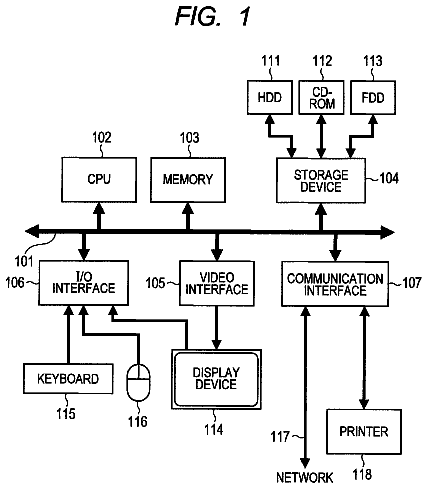
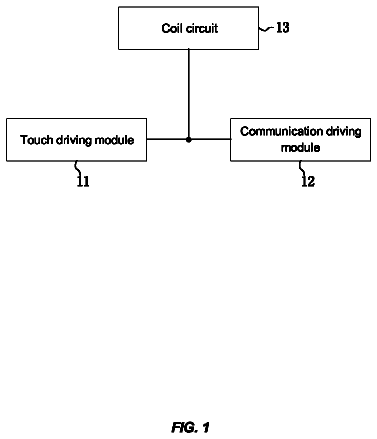
Sheet 1 of 9 from the published document. All sheets in the USPTO PDF
Multi-stage cursor control techniques are described herein in which a control algorithm having multiple stages is applied to facilitate fine grained control over cursor movement and positioning. In one or more implementations, monitoring is performed to detect input provided via a controller for a computing device to manipulate a cursor within a user interface for an application. When input is detected, a multi-stage damping algorithm is applied to the detected input. The multi-stage damping algorithm may include both spatial and temporal dampening factors. Movement of the cursor is rendered in accordance with the damped input determined via application of the algorithm. Then, when input to manipulate the cursor is concluded, an attraction sequence is initiated to move the cursor to a target element contained in the user interface.
Interaction of users with different kinds of computing devices is ever increasing. One example of this involves the proliferation of applications that may be configured in a variety of different ways to support different functionality, e.g., from word processing and spreadsheets to web browsers, games, and so forth. Users may expect applications they use to be available across different devices the users may have and may additionally expect similar experiences across those devices. For example, a developer may choose to make a web browser or version of the browser available for a desktop device, a tablet device, and a game console to accommodate user expectations for a common browsing experience. Because of the different functionality and capabilities supported by the variety of different devices available, though, it may be difficult to maintain a common experience across devices. Inter
1 of 9 drawing sheets so far from the published document, cropped to the drawing. Every sheet is in the USPTO PDF.
What the patent claimed, word for word. All of it is now free to use.
Interaction of users with different kinds of computing devices is ever increasing. One example of this involves the proliferation of applications that may be configured in a variety of different ways to support different functionality, e.g., from word processing and spreadsheets to web browsers, games, and so forth. Users may expect applications they use to be available across different devices the users may have and may additionally expect similar experiences across those devices. For example, a developer may choose to make a web browser or version of the browser available for a desktop device, a tablet device, and a game console to accommodate user expectations for a common browsing experience.
Because of the different functionality and capabilities supported by the variety of different devices available, though, it may be difficult to maintain a common experience across devices. Interaction scenarios with a particular web browser, for instance, may vary on different devices in part because different input modalities are available for the different devices. A traditional browsing experience with a desktop computer involves using a mouse for browser navigation, which enables considerable control to select links, position the cursor and so forth. In other settings that use different input modalities, though, it may be difficult to attain comparable cursor control. For example, while controllers for a game console are well suited for game play, using a controller to manipulate a cursor can be quite challenging because translating analog controller input signals into granular “mouse-like” move commands is not trivial. Likewise, touch-based navigation of an application user interface on a tablet and mobile devices may be associated with similar challenges. Thus, there may be a gap between expectations of users for cross device experiences with browsers and other applications, and actual experiences that have traditionally been made available.
Multi-stage cursor control techniques are described herein in which a control algorithm having multiple stages is applied to facilitate fine grained control over cursor movement and positioning. In one or more implementations, monitoring is performed to detect input provided via a controller for a computing device to manipulate a cursor within a user interface for an application. When input is detected, a multi-stage damping algorithm is applied to the detected input. The multi-stage damping algorithm may include both spatial and temporal dampening factors. Movement of the cursor is rendered in accordance with the damped input determined via application of the algorithm. Then, when input to manipulate the cursor is concluded, an attraction sequence is initiated to move the cursor to a target element contained in the user interface.
This Summary is provided to introduce a selection of concepts in a simplified form that are further described below in the Detailed Description. This Summary is not intended to identify key features or essential features of the claimed subject matter, nor is it intended to be used as an aid in determining the scope of the claimed subject matter.
The detailed description is described with reference to the accompanying figures. In the figures, the left-most digit(s) of a reference number identifies the figure in which the reference number first appears. The use of the same reference numbers in different instances in the description and the figures may indicate similar or identical items.
FIG. 1 is an illustration of an environment in an example implementation that is operable to employ techniques described herein.
FIG. 2 depicts a system in an example implementation in which a cursor is moved in accordance with a multi-stage cursor control algorithm.
FIG. 3 depicts an example operation in a scenario for multi-stage cursor control in accordance with one or more implementations.
FIG. 4 depicts an example procedure for application of a multi-stage cursor control algorithm in accordance with one or more implementations.
FIG. 5 a depicts example polynomial curves for spatial damping in accordance with one or more implementations.
FIG. 5 b depicts an example graph of a variable coefficient for temporal damping in accordance with one or more implementations.
FIG. 6 depicts an example procedure for application of a cursor attraction sequence in accordance with one or more implementations.
FIG. 7 depicts an example scenario to illustrate aspects of a flick and attract gesture in accordance with one or more implementations.
FIG. 8 depicts another example scenario to illustrate aspects of a flick and attract gesture in accordance with one or more implementations.
FIG. 9 illustrates various components of an example device that can be implemented as any type of portable and/or computer device as described with reference to FIGS. 1-8 to implement aspects of the techniques described herein.
Overview
Because of the different functionality and capabilities supported by different available devices, it may be difficult to provide a common experience to a user on different devices, even for the same or similar applications. Interaction scenarios with a particular web browser, for instance, may vary in part because of different input modalities for different devices. For example, while controllers for a game console are well suited for game play, using a game controller to manipulate a cursor can be quite challenging because translating analog controller input signals into granular “mouse-like” move commands is not trivial. Thus, browsing experiences traditionally available on game consoles may suffer due to limitations of game controllers used for these experiences.
Multi-stage cursor control techniques are described herein in which a control algorithm having multiple stages is applied to facilitate fine grained control over cursor movement and positioning. In one or more implementations, monitoring is performed to detect input provided via a controller for a computing device to manipulate a cursor within a user interface for an application. When input is detected, a multi-stage damping algorithm is applied to the detected input. Movement of the cursor is rendered in accordance with the damped input determined via application of the algorithm. Then, when input to manipulate the cursor is concluded, an attraction sequence is initiated to move the cursor to a target element contained in the user interface.
In one or more implementations, the control algorithm provides non-linear input damping. In addition or alternatively, the control algorithm may combine spatial and temporal damping factors for the input damping. The control algorithm may implement the automatic cursor attraction to user interface elements in the vicinity of the cursor (e.g., when input concludes), which relieves users from having to precisely position the cursor to select elements such as links, images, controls, etc. The multi-stage algorithm also enables flick and attract gestures to facilitate navigation between densely arranged elements (e.g., links on a web page) by short duration flicks. The result is an experience that gives the users fine grained control of the cursor, making it easier and more efficient to navigate between elements of an application user interface.
In the following discussion, an example environment is first described that is operable to employ the described herein. Example illustrations of the techniques and procedures are then described, which may be employed in the example environment as well as in other environments. Accordingly, the example environment is not limited to performing the example techniques and procedures. Likewise, the example techniques and procedures are not limited to implementation in the example environment.
Example Operating Environment
FIG. 1 is an illustration of an environment 100 in an example implementation that is operable to employ the multi-stage cursor control techniques described herein. The illustrated environment 100 includes an example of a computing device 102 that is communicatively coupled to a display device 104 . The display device 104 is depicted as displaying an example user interface 105 associated with an application, which in the illustrated example is configured as a web page rendered via a browser of the computing device 102 . In the illustrated example, the computing device 102 is represented as a game console that is communicatively coupled to the display device 104 (e.g., a television), however, the computing device 102 may be configured in a variety of other ways. For example, the computing device 102 may be configured as a traditional computer (e.g., a desktop personal computer, laptop computer, and so on), a mobile station, an entertainment appliance, a wireless phone, a tablet, a netbook, and so forth as further described in relation to FIG. 8 . Thus, the computing device 102 may range from full resource devices with substantial memory and processor resources (e.g., personal computers, game consoles) to a low-resource device with limited memory and/or processing resources (e.g., traditional set-top boxes, hand-held game consoles). The computing device 102 may also relate to software that causes the computing device 102 to perform one or more operations.
The computing device 102 is also illustrated as including a processing system 106 and an example of computer-readable storage media, which in this instance is memory 108 . The processing system 106 is not limited by the materials from which it is formed or the processing mechanisms employed therein. For example, the processing system 106 may be comprised of semiconductor(s) and/or transistors (e.g., electronic integrated circuits (ICs)), such as a system on a chip, processors, central processing units, processing cores, functional blocks, and so on. In such a context, executable instructions may be electronically-executable instructions. Alternatively, the mechanisms of or for processing system 106 , and thus of or for a computing device, may include, but are not limited to, quantum computing, optical computing, mechanical computing (e.g., using nanotechnology), and so forth. Additionally, although a single memory 108 is shown, a wide variety of types and combinations of memory may be employed, such as random access memory (RAM), hard disk memory, removable medium memory, and other types of computer-readable media.
The computing device 102 is further illustrated as including an operating system 110 . The operating system 110 is configured to abstract underlying functionality of the computing device 102 to applications 112 that are executable on the computing device 102 . For example, the operating system 110 may abstract the processing system 106 , memory 108 , network, input/output, and/or display functionality of the computing device 102 such that the applications 112 may be written without knowing “how” this underlying functionality is implemented. The application 112 , for instance, may provide data to the operating system 110 to be rendered and displayed by the display device 104 without understanding how this rendering will be performed. The operating system 108 may also represent a variety of other functionality, such as to manage a file system and user interface that is navigable by a user of the computing device 102 .
The operating system 108 is also illustrated as including an input/output module 114 , which is representative of input/output functionality supported by the operating system 110 . Thus, the input/output module 114 is representative of functionality relating to recognition of inputs and/or provision of outputs by the computing device 102 . For example, the input/output module 114 may be configured to identify gestures and cause operations to be performed that correspond to the gestures, and so on. The inputs may be detected for processing by the input/output module 114 in a variety of different ways.
For example, the operating system 110 may be configured to receive one or more inputs via touch interaction with a hardware device, such as a controller 116 as illustrated. Touch interaction may involve pressing a button, moving a joystick or thumbstick, movement across a track pad, use of a touch screen of the display device 104 (e.g., detection of a finger of a user's hand 118 or a stylus), using a touch screen and/or controls of the controller 116 , and so on. Recognition of the touch inputs may be leveraged by the operating system 110 to interact with a user interface output by the computing device 102 , such as to interact with a game, an application, browse the internet, change one or more settings of the computing device 102 , and so forth. A variety of other hardware devices are also contemplated that involve touch interaction with the device. Examples of such hardware devices include a cursor control device (e.g., a mouse), a remote control (e.g. a television remote control), a mobile communication device (e.g., a wireless phone configured to control one or more operations of the computing device 102 ), and other devices that involve touch on the part of a user or object. Thus, although the controller 116 is illustrated as a game controller, the controller 116 may be configured in a variety of other ways, such as being a remote control, a smartphone or tablet device that is configured with software and/or hardware to enable use as a controller 116 , and so forth.
The input/output module 114 may also be leveraged by the operating system 110 to support a natural user interface (NUI) that may recognize interactions that may not involve touch. For example, the computing device 102 may include a NUI input device 120 . The NUI input device 120 may be configured in a variety of ways to detect inputs without having a user touch a particular device, such as to recognize audio inputs through use of a microphone. For instance, the NUI input device 120 may be configured to support voice recognition to recognize particular utterances (e.g., a spoken command) as well as to recognize a particular user that provided the utterances.
In another example, the NUI input device 120 that may be configured to support recognition of gestures, presented objects, images, head/face tracking, body movements(s), and so on through use of a camera. The camera, for instance, may be configured to include multiple lenses so that different perspectives may be captured and thus determine depth. The different perspectives, for instance, may be used to determine a relative distance from the NUI input device 120 and thus a change in the relative distance.
In another example, a time-of-flight camera may be utilized to determine relative distances of objects, e.g., arms, hands, fingers, legs, torso, and head of a user. For instance, the NUI input device 120 may capture images that are analyzed by the input/output module 114 to recognize one or more motions made by a user, including what body part is used to make the motion as well as which user made the motion. An example is illustrated through recognition of positioning and movement of one or more fingers of a user's hand 118 and/or movement of the user's hand 118 as a whole. The motions may be identified as gestures by the NUI input device 120 to initiate a corresponding functions. Thus, the NUI input device 120 may be leveraged to support depth perception in a variety of different ways. The images captured by the NUI input device 120 may be leveraged to provide a variety of other functionality, such as techniques to identify particular users (e.g., through facial recognition), objects, and so on.
A variety of different types of gestures may be recognized, such a gestures that are recognized from a single type of input (e.g., a motion gesture) as well as gestures involving multiple types of inputs, e.g., a motion gesture and an object gesture made using an object such as a stylus. Thus, the NUI input device 120 may support a variety of different gesture techniques by recognizing and leveraging a division between inputs. It should be noted that by differentiating between inputs in the natural user interface (NUI), the number of gestures that are made possible by each of these inputs alone is also increased. For example, although the movements may be the same, different gestures (or different parameters to analogous commands) may be indicated using different types of inputs. Thus, the NUI input device 120 may support a natural user interface that supports a variety of user interaction's that do not involve touch.
Accordingly, although the following discussion may describe specific examples of inputs, in instances different types of inputs may also be used without departing from the spirit and scope thereof. Further, although in instances in the following discussion the gestures are illustrated as being input using a NUI, the gestures may be input using a variety of different techniques by a variety of different devices, such as to employ touchscreen functionality of a tablet computer. Other non-gesture techniques are also contemplated, such as to select one or more buttons of the controller 116 .
The operating system 110 is also illustrated as including a cursor control module 122 . The cursor control module 122 is representative of functionality operable to enable control of cursor movement, actions, and behaviors in response to various inputs captured from a controller or other input device. In one or more implementations, the cursor control module 122 may be configured to provide multi-stage cursor control techniques described above and below in conjunction with interactions with user interfaces for applications. In but one example scenario, the cursor control module 122 may operate in conjunction with a web browser application of a game console to facilitate cursor control for browsing activities using a directional input device, such as a game controller device or other controller/input device for the game console. In general, however, the multi-stage cursor control techniques described herein may be employed in various input scenarios including scenarios involving different types of computing devices, browsers and/or other applications, interaction across an operating system user interface, and so forth. Although illustrated as part of the operating system 110 , the cursor control module 122 may be implemented in a variety of ways, such as being a standalone module, a component of one or more of the applications 112 , and so on.
Multi-stage cursor control may involve application of a control algorithm having multiple stages that facilitates fine grained control over cursor movement and positioning across range of input actions and intensities. In one approach, a control algorithm is employed that provides non-linear input damping. In addition or alternatively, the control algorithm may combine spatial and temporal damping factors for input damping. Further, the control algorithm may also be configured to cause automatic cursor attraction to user interface elements in the vicinity of the cursor (e.g., when input concludes), which relieves users from having to precisely position the cursor to select elements, such as links, images, controls, etc. A variety of different control algorithms and corresponding actions may be supported by the cursor control module 122 that integrate non-linear damping and cursor attraction in multiple stages. The result is an experience that gives the users fine grained control of the cursor, making it easier to navigate between elements of an application user interface, and accordingly making the overall interaction experience with the application user interface more pleasing and efficient. Details and examples regarding these and other aspects of multi-stage cursor control techniques are described in relation to the following figures.
FIG. 2 depicts generally at 200 an example system 200 in an example scenario in which a cursor control module 122 operates to control a cursor 202 within a user interface 105 presented via a display device 104 . Operation of the cursor control module 122 is illustrated through first and second stages 204 , 206 . At the first stage 204 , the cursor 202 is illustrated as being at a position 207 . Responsive to input to manipulate the cursor 202 , the cursor control module 122 may be invoked to implement a multi-stage control scheme to reposition the cursor 202 in accordance with the input. As mentioned, multi-stage control of the cursor 202 may involve a combination of input damping and cursor attraction. The cursor control module 122 of FIG. 2 is depicted as including a damping module 208 and an attraction module 210 that are representative of functionality operable to implement input damping and cursor attraction techniques, respectively, as discussed in this document. The damping module 208 and the attraction module 210 may be incorporated with, invoked by, or otherwise used by the cursor control module 122 to implement various operation described herein.
The damping module 208 may apply input damping to detected input in one or more stages. As explained in detail below, the input damping may include spatial damping and temporal damping. In one approach, spatial damping is implemented according to a polynomial relationship. The temporal damping may be implemented according to a configurable temporal damping coefficient. The temporal damping coefficient is selected to cause a ramp-up in cursor velocity over a period of time. By so doing, short duration joystick/thumbstick flicks and/or other fairly quick directional inputs associated with large spatial magnitudes may be damped to cause relatively small corresponding changes in cursor position within the ramp-up time window. This facilitates fine control over cursor movement and may reduce instances of overshooting a target element because of a quick, un-damped cursor response.
The attraction module 210 may kick in when an input sequence concludes to further refine the position of the cursor. In particular, the attraction module 210 may cause repositioning of the cursor to an element in proximity to the cursor. In one approach, the attraction is based at least in part upon an assessment of the distance of the cursor positions to the positions of elements in the user interface. The cursor is then “attracted” to a selected element based on the assessment.
For example, the second stage 206 in FIG. 2 depicts the user interface 105 having the cursor 202 repositioned to a position 212 . In this example, the repositioning may occur responsive to user interaction with a controller 116 to move the cursor away from the position 207 generally towards the position 212 . Movement of the cursor 202 rendered in response to input via the controller 116 may reflect application of input damping as noted. Further, positioning of the cursor 202 at the position 212 may reflect attraction of the cursor to a target element, which in the depicted example is a “health” link of the illustrated web page. Thus, input may cause movement of the cursor 202 part of the way to the position 212 to an intermediate position at which point input is concluded. Then, cursor attraction may be applied when the input concludes to cause the cursor 202 to automatically move to the “health” link at the position 212 . This occurs without additional user input to cause the attraction. In an implementation, the movement of the cursor may be rendered such that the cursor appears to move responsive to the input, briefly stop when input concludes, and then settle to the target element based on the attraction sequence. Details regarding these and other aspects of multi-stage cursor control techniques are described in the following section.
Having considered an example environment, system, devices, and components, consider now a discussion of some example scenarios and procedures that illustrate details regarding multi-stage cursor control techniques.
Multi-Stage Cursor Control Implementation Details
This section describes details of multi-stage cursor control techniques in relation to various example scenarios and procedures. The scenarios and procedures may be implemented via the example systems, devices, and components of the example operating environment described in relation to FIGS. 1 and 2 . Aspects of each of the representative scenarios and procedures may be implemented in hardware, firmware, or software, or a combination thereof. The procedures described below are shown as a set of blocks that specify operations performed by one or more devices and are not necessarily limited to the orders shown for performing the operations by the respective blocks.
Functionality, features, and concepts described throughout this document may be employed in the context of the representative scenarios and procedures described herein. Further, functionality, features, and concepts described in relation to different examples may be interchanged among the different examples and are not limited to implementation in the context of an individual procedure. Moreover, blocks associated with different representative procedures and corresponding figures herein may be applied together and/or combined in different ways. Thus, individual functionality, features, and concepts described in relation to different example environments, devices, components, and procedures herein may be used interchangeably in any suitable combinations and are not limited to the particular combinations represented by the enumerated examples.
Cursor Control Details
FIG. 3 depicts generally at 300 an example scenario in which control of a cursor is illustrated in accordance with techniques described herein. The scenario is illustrated as a sequence of operations labeled with letters “A” to “E”. At “A”, input to manipulate the cursor may be provided via a controller 116 . The input may be detected and processed by the cursor control module 122 . In response to the input, the cursor control module 122 may operate to cause corresponding movements of a cursor 202 . In the depicted example, the input is represented as movement 302 of a thumbstick integrated with a game controller. As mentioned other controllers and types of input are also contemplated, such as mouse-based input, directional pad or arrow key/button input, use of a smart phone/tablet as a controller 116 to provide the input, and so forth.
At “B”, the movement 302 causes corresponding movement 304 of the cursor 202 within a user interface 105 (a portion of which is shown in FIG. 3 ). As depicted in FIG. 3 , the corresponding movement 304 is generally in the same direction of the movement 302 . The amount of cursor movement and the velocity with which the movement of the cursor is rendered may be dependent upon the magnitude and/or duration of the input. For example, the corresponding movement 304 depends upon the magnitude of displacement of the example thumbstick as well as the duration of the displacement. Input damping may also be applied to the input by the cursor control module 122 as described above and below (e.g., by invoking a damping module 208 or otherwise).
At “C”, the input concludes and the cursor control module 122 may recognize the conclusion of the input. For instance, when a user releases the example thumbstick and the thumbstick returns to its starting location, the cursor control module 122 may detect and interpret this as a conclusion of a particular input sequence. The cursor control module 122 may take designated action(s) responsive to the conclusion of the input, one example of which is initiating an attraction sequence under appropriate circumstances. In particular, the cursor control module 122 may implement cursor attraction as discussed herein to cause repositioning of the cursor to a target element (e.g., by invoking an attraction module 210 or otherwise). The selection of the target element may depend upon proximity of the cursor 202 to elements when input concludes.
Accordingly, operation “D” in FIG. 3 represents application of cursor attraction to select a target element. The target element may be selected from among a plurality of elements 306 contained in the user interface 105 . Generally, the selection of the target element involves determining the distances between the plurality of elements 306 and the position of the cursor 202 , as represented by the distance 308 between the cursor 202 and the example “health” link in FIG. 3 . The selection may also involve analysis of direction of travel and movement vectors to infer an intended target when input concludes (e.g., thumbstick is released). In one or more implementations, bounding boxes for page elements are determined as represented in FIG. 3 and distances are computed between the bounding boxes and the cursor position. The target element may then be selected as an element having a bounding box that is nearest to the cursor according to the computed distances.
Operation “E” represents repositioning the cursor 202 to the target element in accordance with cursor attraction. In the illustrated example, repositioning 310 of the cursor 202 from a position at which input concludes to the target element (e.g., the example “health” link) is shown. The repositioning 310 of the cursor 202 to a selected element occurs automatically once input concludes and without further input from a user to cause the repositioning. In this way, relatively coarse and/or imprecise input provided by a user via a controller may be employed and the cursor may still be finely controlled and positioned based on such input by applying multi-stage cursor control techniques described herein.
To further illustrate cursor control details generally, consider FIG. 4 which depicts an example procedure 400 in which a multi-stage cursor control is applied to direct cursor movement. Input to manipulate a cursor for an application via a controller is monitored (block 402 ). For example, a cursor control module 122 may be operable to monitor inputs that are provided via a controller or multiple different controllers associated with a computing device 102 . The cursor control module 122 may operate in connection with a particular application, one example of which is a browser application that may be installed on a game console or other computing device. In addition or alternatively, a cursor control module 122 may be implemented to perform input monitoring across multiple applications of a computing device.
Based on the input monitoring, a determination is made regarding whether input is detected (block 404 ). Here, the cursor control module 122 may recognize and distinguish between different kinds of input to interact with a computing device 102 . Handling of various kinds of input may be supported by an input/output module 114 as described previously. In one approach, the cursor control module 122 may be invoked to process particular types of inputs related to manipulation of a cursor 202 , such as inputs using a thumbstick, a joystick, a directional pad, touch gestures, keystrokes, and/or mouse movements to position a cursor and select items.
Thus, detected input in the context of the example procedure 400 corresponds to types inputs of input employed to manipulate a cursor. As long as such input is not detected per block 404 , the procedure returns to block 402 and monitoring may continue. When input is detected, multi-stage cursor control techniques may be applied to handle the detected input and control movement of the cursor accordingly. In particular, multi-stage damping is applied to the input (block 406 ). The multi-stage damping may include both a spatial damping stage (block 408 ) and a temporal damping stage (block 410 ) details of which are provided in the following section titled “Input Damping Details.” The particular algorithm used for damping may be dependent upon various factors including but not limited to the input device that is used, the type of device, the type of input (e.g., gestures, keystrokes, game controller input, touch swipes, etc.), and so forth. Thus, different multi-stage damping algorithms may be applied in different scenarios. Based on the multi-stage damping, commands are dispatched to update the cursor position (block 412 ). Here, the cursor control module 122 may operate to provide commands to an application to direct rendering of the cursor. The rendering of the cursor by the application therefore reflects input damping that is applied to detected inputs. Commands may be configured in any suitable format to indicate a drawing path, velocity, and/or behaviors for the cursor.
A determination is then made regarding whether input is concluded (block 414 ). The determination may be based upon a timer and/or a designated timeout period that begins to run in the absence of input signals. The timeout period may be configurable and generally is on the order of a few hundred milliseconds. An individual input sequence may last from detection of input per block 404 until a determination is made that input has concluded (e.g., the individual input sequence has stopped) per block 414 . This may occur for example when a user releases a thumbstick of a controller, stops moving a mouse, removes a finger from a touch input device, and so forth.
As long as input for an individual input sequence is continued and/or is interrupted for less than the designated timeout period, the determination per block 414 is negative meaning that input has not concluded. In this case, the procedure returns to block 404 where additional detected input (e.g., the continuing input) is processed to apply damping and update the cursor position accordingly. When a determination is made at block 414 that input is concluded, an attraction sequence is initiated to move the cursor to a target element (block 416 ). The attraction sequence may include operations to ascertain a target element (block 418 ) and dispatch commands to reposition the cursor to the target element (block 420 ). For example, a cursor may be attracted to a target element that is selected as shown and described previously in relation to the example of FIG. 3 . Additional examples and details regarding techniques for cursor attraction are discussed in a section below titled “Cursor Attraction Details.”
Input Damping Details
This section describes details regarding input damping that may be employed for multi-stage cursor control techniques discussed throughout this document. Input damping may be applied to input that is provided via various controllers 116 including but not limited to game controllers, tablet devices, mobile phones, joystick devices. At least some controllers may include thumbsticks, directional pads, touchpads, touch screen or other input devices through which input may be generated. In general terms, input damping is applied to input signals according to an algorithm configured to specify damping factors designed to modify the input signals to control cursor response. For example, damping factors may operate to modify the magnitude of raw input signals to control velocity or rate of cursor movement across a range of input magnitudes. Damping factors may be applied to each component of an input vector generated via a controller to manipulate a cursor, such as to x and y components associated with a two-dimensional coordinate space of a user interface and/or display device or vectors of a polar coordinate system. Of course, it is contemplated that comparable input damping techniques may also be employed in other input scenarios, such as in connection with x, y, and z components of a virtual environment that implements a three-dimensional coordinate space for a user interface.
Thus, given a range of input (e.g., normalized input range from −1 to 1) for an input vector, the input damping algorithm may produce corresponding component values that specify the velocity components for cursor responses to detected input. As the name suggests, the input damping may cause “damping” of input by applying factors to reduce the magnitude of input signals by percentages computed according to the algorithm. However, it is contemplated that factors designed to increase the magnitude of input signals or components thereof may be applied in some scenarios. Different factors may be computed for individual components or alternatively a single, overall factor may be generated and applied to each of multiple components.
The input damping algorithm may describe a functional relationship between raw input and “damped” input employed for cursor control. In an implementation, the input damping algorithm may also depend upon knowledge regarding the position of page elements relative to the cursor. Such information may be used to infer potential target elements and may be used to modify damping coefficients accordingly based on relative position/distances between the cursor and elements. Knowledge regarding the position of page elements may be derived by parsing of a representation of the page (e.g., the page DOM) as discussed previously. Various different controls schemes and cursor response patterns may be implemented by configuring this functional relationship in different ways to specify different combinations of factors under various conditions. As noted previously, the techniques described herein may involve non-linear functional relationships in one or more implementations. Additionally, the input damping algorithm may be configured to employ spatial and temporal damping individually or in combination. In other words, the input damping algorithm may reflect a non-linear functional relationship that incorporates either or both of spatial considerations or temporal considerations.
In one or more implementation, spatial damping is implemented by polynomial damping of input signals that may correspond to displacement of a thumbstick or joystick, velocity and/or length of touch-based swipes, magnitude associated within interaction via directional pad or directional buttons, or other input mechanism. Polynomial damping may be expressed in the following generalized form: (damping factor)=(input value).sup.exponent
where “input value” is the normalized raw input value generated via a controller, the “exponent” may be selected as an integer greater than 1, and the “damping factor” is a non-linear factor generate by the computation.
The functional relationship reflected by the above expression may be tunable by a developer and/or by a user by changing the value for the exponent, which causes a corresponding change in the cursor response.
To further illustrate, consider a scenario in which a cursor is being controlled by a thumbstick of a game controller. In this scenario, input signals in a normalized range of −1 to 1 may be generated based on displacement of the thumbstick from a starting position. In some instances, a deadzone may be defined surrounding the starting position, in which case the displacement may be an amount of displacement outside of the deadzone. The thumbstick model represents one example device by which a user may provide analog two-dimensional input that may be translated to direction and velocity values to manipulate a cursor.
The description continues in the full USPTO document.
About 6,196 words. The USPTO PDF has it with every drawing.
Fees are due 3.5, 7.5 and 11.5 years after grant. This patent expired on August 15, 2025, so the fee marked "not paid" was the one that went unpaid.
Multi-stage Cursor Control
Filed Mar 2014 · published Sep 2015Multi-stage cursor control
Filed Mar 2014 · granted Aug 2017Earlier publications, parents and continuations. None of them can still be enforced, or this patent would not be listed.
Prior art cited by the examiner or applicant. Useful when you check your own idea for novelty.
Everything on this page comes from the documents linked above.