Lapsed, fee not paid4 drawings
AI & Machine Learning · US 8,688,716 B1
Recommending pairwise video comparisons to improve ranking
A ranking system is described for adjusting quality distributions of items responsive to pairwise comparisons.
US 8,689,100 B2 · Assignee: Canon Kabushiki Kaisha · Inventors: Tomita; Makoto et al.
Sheet 1 of 24 from the published document. All sheets in the USPTO PDF
According to this invention, bookbinding data containing pages created by respective applications can be constructed regardless of the type of application. Even when one or more desired pages contained in bookbinding data are selected, image editing is designated, but a non-image page exists in the selected pages, the non-image page can be excluded from editing targets, and the process can shift to image editing. For this purpose, when a plurality of pages are selected and image editing is designated, whether each selected page is an editable image page is determined. An editable page is temporarily stored. After all the selected pages are determined, an image editing application is activated to edit stored editable image pages.
As the performance of general-purpose information processing apparatuses such as a personal computer improves, texts, tables, images, and the like can be easily created/edited by various application programs. In general, texts, simple tables, and the like are created by a document editing application program, images are created by an image editing application program, and tables with relatively complicated operations are created by a spreadsheet application program. In this manner, the user selectively uses an application in accordance with the purpose. A document for one purpose is formed from only one type of data such as only text, only a table with numerical operations, or only an image, but a situation in which a document containing different types of data is created is increasing. To prepare a document formed from a plurality of data types, each part of the document is created, edi
1 of 24 drawing sheets so far from the published document, cropped to the drawing. Every sheet is in the USPTO PDF.
What the patent claimed, word for word. All of it is now free to use.
The present invention relates to a technique of combining output data generated by various application programs such as a document editing application and image editing application into one electronic document.
As the performance of general-purpose information processing apparatuses such as a personal computer improves, texts, tables, images, and the like can be easily created/edited by various application programs.
In general, texts, simple tables, and the like are created by a document editing application program, images are created by an image editing application program, and tables with relatively complicated operations are created by a spreadsheet application program. In this manner, the user selectively uses an application in accordance with the purpose.
A document for one purpose is formed from only one type of data such as only text, only a table with numerical operations, or only an image, but a situation in which a document containing different types of data is created is increasing.
To prepare a document formed from a plurality of data types, each part of the document is created, edited, and printed by a corresponding application. Then, respective parts are rearranged in intended order and combined.
However, to assign page numbers to pages when the user creates one target document by combining printed materials generated by various applications, the user must print out all necessary data, combine them into a paper document as a printed result, and then determine page numbers to be assigned. Each application writes determined page numbers on respective pages (to be referred to as logical pages or document pages) of a document created by the application. Even if the application program has a function of assigning page numbers, the page numbers of discontinuous pages must be designated by the user. If the pages of the target document are rearranged, page numbers must be reassigned in accordance with the rearrangement. These pages must also be edited and printed again by a corresponding application when not data contents but merely the format is changed so that a plurality of document pages are combined into one page (to be referred to as a physical page or print page) as a print material, or single-sided printing is changed to double-sided printing.
Since an application changes depending on the type of data, the user must manually provide an interface between applications. This means that much labor is demanded of the user, decreasing productivity. Creation of a single purpose document by sharing respective parts between a plurality of individuals using application programs on their respective PCs is especially confusing, and readily causes errors owing to operations by many users.
To solve the above problems, the assignee of the present applicant has proposed the following technique in Japanese Patent Laid-Open No. 2003-91518.
First, as for application programs (e.g., a wordprocessing application and spreadsheet application) or data files created by unknown application programs, a common electronic document file is created using a predetermined device driver as a printer driver on respective applications. Application data files can be converted into an electronic document file of a common format regardless of the type and manufacturer of an application, and pages in the electronic document file can be extracted.
Second, as for versatile image files (e.g., a bitmap file, JPEG file, and Tiff file) whose formats are laid open to the public, images are directly extracted as pages from image files.
One bookbinding data file is created from pages obtained by the first and second processes as pages which form electronic bookbinding data.
In this arrangement, pages which form bookbinding data can be created by any application as far as the application has a printout function, and bookbinding data containing page data created by respective applications can be generated.
To meet the demand for electronic submission, there has recently been proposed a mechanism in which image data scanned by a scanner is processed by importing the image data into a bookbinding application for making ready for a print document. If an original paper document has the mark of a staple or punch hole, the shadow of the mark appears in an image page scanned by a scanner, and the user attempts to erase such unnecessary data from a plurality of image pages with an image editor function.
Attention is paid to bookbinding data in the prior art. Pages contained in bookbinding data include image pages and non-image pages (pages created by a wordprocessing application or the like). An image page has a general-purpose format and requires a simple editing process such as erase of a post-process mark, but whether a page is an image is unknown unless the page is opened.
It is an object of the present invention to provide a technique capable of constructing bookbinding data containing pages created by respective applications regardless of the type of application, and when one or more desired pages contained in bookbinding data are selected, image editing is designated, but a non-image page exists in the selected pages, excluding the non-image page from the editing targets, shifting the process to image editing, and providing an efficient operation environment to the user.
To achieve the above object, a document processing apparatus according to the present invention comprises the following arrangement. That is, a document processing apparatus which stores and manages, as an electronic document file, document data containing both an image page and a non-image page comprises
electronic document file creation means for creating an electronic document file from an imported image file of a predetermined format and an imported application data file,
display control means for displaying on a display a list of pages contained in the electronic document file created by the electronic document file creation means,
editing means for editing the image page in the electronic document file,
determination means for determining for each page which forms a group of selected pages whether a page is an image page or a non-image page when not less than one desired page group is selected as an editing target of the editing means from the pages displayed by the display control means, and
control means for performing image editing for a group of pages determined by the determination means to be image pages as an editing target of the editing means.
Other features and advantages of the present invention will be apparent from the following description taken in conjunction with the accompanying drawings, in which like reference characters designate the same or similar parts throughout the figures thereof.
The accompanying drawings, which are incorporated in and constitute a part of the specification, illustrate embodiments of the invention and, together with the description, serve to explain the principles of the invention.
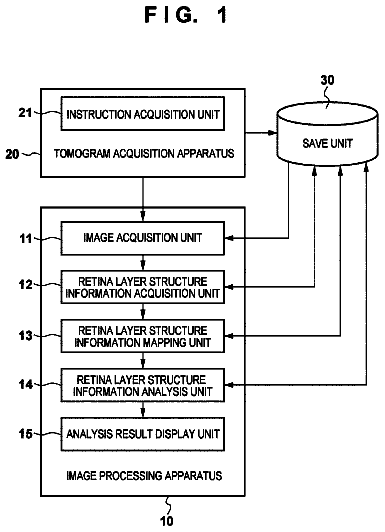
FIG. 1 is a block diagram showing an example of the software configuration of a stand-alone document processing system according to an embodiment;
FIG. 2 is a block diagram showing an example of a hardware configuration which implements the document processing system according to the embodiment;
FIG. 3 is a view showing an example of a book file structure;
FIGS. 4A and 4B are tables showing a list of book attributes;
FIG. 5 is a table showing a list of chapter attributes;
FIG. 6 is a table showing a list of page attributes;
FIG. 7 is a flowchart showing an example of a sequence of opening a book file;
FIG. 8 is a view showing an example of a user interface window when a new book file is opened;
FIG. 9 is a view showing an example of a user interface window when an existing book file is opened;
FIG. 10 is a flowchart showing an example of a sequence of importing an electronic document file to a book file;
FIG. 11 is a flowchart showing an example of a sequence of converting application data into an electronic document file in step S801 of FIG. 10;
FIG. 12 is a view showing an example of a data structure used for printing and display;
FIG. 13 is a block diagram showing an example of the software configuration of a client-server document processing system;
FIG. 14 is a block diagram showing an example of the software configuration of the document processing system in image editing;
FIG. 15 is a flowchart showing the flow of a series of operations in image editing;
FIG. 16 is a flowchart showing the flow of a series of operations in image editing when a plurality of images can be simultaneously edited;
FIG. 17 is a view showing an example of page selection with the UI of a bookbinding application;
FIG. 18 is a view showing an example of UI display by an image editing application;
FIG. 19 is a view showing an example of page selection with the UI of the bookbinding application when a chapter is selected;
FIG. 20 is a view showing an example of page selection with the UI of the bookbinding application when a book is selected;
FIG. 21 is a flowchart showing a sequence of opening a book file by a bookbinding application according to the second embodiment;
FIG. 22 is a view showing the UI window of the bookbinding application in which a mark is added to a page determined to be an editable image page according to the second embodiment; and
FIG. 23 is a flowchart showing the flow of a series of operations in image editing according to the second embodiment.
Preferred embodiments of the present invention will be described in detail below with reference to the accompanying drawings.
[Outline of Document Processing System According to First Embodiment]
The outline of a document processing system according to the first embodiment will be described with reference to FIGS. 1 to 13.
In the document processing system, a data file created by a general application is converted into an electronic document file by an, electronic document writer to be described in the first embodiment. A bookbinding application according to the first embodiment provides a function of editing the electronic document file. In the first embodiment, a general application, electronic document writer, bookbinding application, and electronic document de-spooler are separately described for distinction between these functions. However, a package provided to the user is not limited to them, and an application or graphic engine as a combination of them may be provided, details of which will be described below.
<Example of Software Configuration of Document Processing System According to First Embodiment>
FIG. 1 is a block diagram showing the software configuration of the document processing system according to the first embodiment.
The main part of the document processing system according to the first embodiment is implemented by a general-purpose information processing apparatus 100 such as a personal computer (to be also referred to as a PC or host computer hereafter). The type and manufacturer of a general application 101 do not matter as far as the application program provides any one function of wordprocessing, spreadsheet, photo-retouch, draw, paint, presentation, and text editing. In other words, any application can be adopted as far as it has a print instruction function to the OS.
Generally, when document data, image data, or the like created by an application is printed by the application, a predetermined interface (generally called GDI) provided by an OS (Operating System) is utilized. To print created data, the application 101 transmits an output command (called a GDI function) which is determined in advance for the output module of the OS providing the interface and has an OS-dependent format. A device driver receives the output command, converts the command into a format processible by an output device such as a printer, and outputs the converted command (called a DDI function). Since data converted by the device driver changes depending on the type of output device, the manufacturer, the model, or the like, a device driver is provided for each output device. The OS converts a command by using the device driver to generate print data, and combines the print data by JL (Job Language) to generate a print job. When the OS is Microsoft Windows.RTM., the output module is a GDI (Graphical Device Interface) module.
An electronic document writer 102 according to the first embodiment is an improvement of the above-mentioned device drivers, and is a software module provided to implement the document processing system. The electronic document writer 102 does not target a specific output device, and converts an output command into a format processible by a bookbinding application 104 or printer driver 106 (to be described later). The format (to be referred to as an "electronic document format" hereinafter) converted by the electronic document writer 102 is not particularly limited as far as each document page can be expressed by a detailed format. Practical standard formats are, for example, the PDF format by Adobe Systems Incorporated, and the SVG format.
When the application 101 utilizes the electronic document writer 102, the electronic document writer 102 is designated (selected) as a device driver used for output, and then caused to execute printing. The electronic document writer 102 and a general printer driver do not make any difference to the application 101. The electronic document writer 102 saves a result processed in the above-described manner as a file 103 in a proper folder (directory).
An electronic document file created by the electronic document writer 102 does not have a complete electronic document file format to be described in the first embodiment. For this reason, the electronic document writer 102 is designated as a device driver by the bookbinding application 104, and executes conversion of application data into an electronic document file under the management of the bookbinding application 104 (details of which will be described later). The bookbinding application 104 completes a new incomplete electronic document file generated by the electronic document writer 102 as an electronic document file having the following format. In case of necessity to definitely discriminate these files, a file created by the electronic document writer 102 will be called an electronic document file, and an electronic document file given a structure by the bookbinding application will be called a book file. If these files need not be particularly discriminated, a document file generated by an application, an electronic document file, and a book file are called document files (or document data).
As described above, the electronic document writer 102 is designated as a device driver, and the general application 101 prints the data. Application data is converted into an electronic document format in pages (to be referred to as "logical pages" or "document pages" hereinafter) defined by the application 101. The converted data is stored as the electronic document file 103 in a storage medium such as a hard disk.
It should be noted that the electronic document writer according to the first embodiment does not make any difference from a printer driver prepared by a general printer manufacturer to the application, as described above. More specifically, a data file of a format processible by the bookbinding application to be described in the first embodiment can be obtained via the electronic document writer 102 according to the first embodiment as far as the application has a printout function regardless of an existing application program or an unknown application which will come into the market in the future.
The bookbinding application 104 according to the first embodiment provides the user with a function of reading and editing the electronic document file or book file 103. The editing function of the bookbinding application 104 according to the first embodiment is not a detailed function of, e.g., editing a text, unlike a wordprocessor, but a simple image editing function and a function of editing a chapter or book structure (to be described later) made up of pages as a minimum unit. Detailed editing such as a change of a font in a text or insertion of a character can be performed again by an original accustomed application.
To print the book file 103 edited by the bookbinding application 104, the bookbinding application 104 activates an electronic document de-spooler 105. The electronic document de-spooler 105 is a program module which is installed in the computer together with the bookbinding application. The electronic document de-spooler 105 is used to output drawing data to a printer driver in printing a document (book file) used by the bookbinding application. The electronic document de-spooler 105 reads out a designated book file from the hard disk. To print each page in a format described in the book file, the electronic document de-spooler 105 generates an output command complying with the output module of the OS described above, and outputs the command to the output module (not shown). At this time, the driver 106 of a printer 107 used as an output device is designated as a device driver. The output module converts the output command received using the designated printer driver 106 of the printer 107 into a device command interpretable by the printer 107. The device command is transmitted to the printer 107, which prints an image corresponding to the command.
<Example of Hardware Configuration of Document Processing System According to First Embodiment>
FIG. 2 is a block diagram showing the hardware configuration of the document processing system according to the first embodiment.
In FIG. 2, the PC 100 comprises a CPU 201 which controls elements connected to a system bus 204 and controls the overall apparatus. The CPU 201 executes a document processing program and various applications for figures, images, characters, and tables (including spreadsheets and the like). A ROM 203 stores a BIOS, boot program, basic font data, and various data. An external memory 211 (hard disk device or the like) stores an OS, various programs (general application program 101, electronic document writer 102, bookbinding application 104, electronic document de-spooler 105, and printer driver 106 shown in FIG. 1) to be described in the first embodiment, font data, and data files created by various applications. A RAM 202 functions as a main memory, work area, or the like for the CPU 201. When the apparatus is powered on, the CPU 201 loads an OS from the external memory 211 to the RAM 202 in accordance with a boot program in the ROM 203, then loads various applications and programs to be described in the first embodiment, and functions as an information processing apparatus.
A keyboard controller (KBC) 205 controls a key input from a keyboard 209 or a pointing device (not shown). A CRT controller (CRTC) 206 controls the display of a CRT display (CRT) 210. A disk controller (DKC) 207 controls access to the external memory 211 which stores a boot program, various applications, font data, user files, edited files, a printer control command generation program (to be referred to as a printer driver hereinafter), and the like. A printer controller (PRTC) 208 is connected to the printer 107 via a bidirectional interface (interface) 21, and executes a communication control process with the printer 107. An NC (Network Controller) 212 communicates with a network, and executes a communication control process with another device connected to the network.
The CPU 201 executes, e.g., an outline font rasterization process to a display information RAM set in the RAM 202, and enables WYSIWYG on the CRT 210. The CPU 201 opens various registered windows and executes various data processes on the basis of commands designated on the CRT 210 with a Mouse.RTM. cursor (not shown) or the like. When the user executes printing, he/she opens a print setting window, and can perform setting of a printer and setting of a printing process method to the printer driver that includes selection of a print mode.
The printer 107 comprises a CPU 312 which controls the entire printer. The CPU 312 outputs an image signal as output information to a printing unit (printer engine) 317 connected to a system bus 315 on the basis of a control program stored in a program ROM within a ROM 313 or a control program stored in an external memory 314. The program ROM within the ROM 313 stores, e.g., the control program of the CPU 312. A font ROM within the ROM 313 stores, e.g., font data used to generate the output information. A data ROM within the ROM 313 stores, e.g., information used in the host computer for a printer having no external memory 314 such as a hard disk.
The CPU 312 can communicate with the host computer via an input unit 318, and notify the host computer 100 of internal printer information or the like. A RAM 319 functions as a main memory, work area, or the like for the CPU 312, and the memory capacity can be expanded by an optional RAM connected to an expansion port (not shown). The RAM 319 is used as an output information mapping area, environment data storage area, NVRAM, or the like. Access to the external memory 314 such as a hard disk (HD) or IC card is controlled by a memory controller (MC) 320. The external memory 314 is connected as an option, and stores font data, emulation programs, form data, and the like. Reference numeral 321 denotes an operation panel described above which is equipped with operation switches, an LED display, and the like.
The number of external memories 314 is not limited to one, and a plurality of external memories 314 may be arranged. A plurality of external memories which store an option card and a program for interpreting the printer control languages of different language systems in addition to built-in fonts may be connected. Further, an NVRAM (not shown) may be adopted to store printer mode setting information from the operation unit 321.
<Example of Format of Electronic Document Data>
Before referring to details of the bookbinding application 104, the data format of a book file will be explained. The book file has a three-layered structure similar to a paper-medium book. The upper layer is called a "book", resembles one book, and defines the attributes of the entire book. The intermediate layer corresponds to a chapter in the book, and is also called a "chapter". As for each chapter, its attributes can be defined. The lower layer is a "page", and corresponds to each page defined by an application program. As for each page, its attributes can be defined. One book may contain a plurality of chapters, and one chapter may contain a plurality of pages.
FIG. 3 is a view schematically showing an example of the book file format. A book, chapter, and page in the book file of this example are represented by corresponding nodes. One book file contains one book. The book and chapter are a concept for defining a book structure, and contain, as entities, defined attribute values and links to lower layers. The page has, as entities, data of each page output from an application program. The page contains a document page entity (document page data) and a link to each document page data in addition to an attribute value. Note that a print page to be output to a paper medium may contain a plurality of document pages. This structure is displayed not by a link, but by attributes in book, chapter, and page layers.
The book file shown in FIG. 3 need not be one completed book, but can be repetitively edited. Thus, "book" is generalized as a "document" in FIG. 3.
Document information 401 is defined at the top. The document information 401 can be roughly divided into three parts 402 to 404. The document control information 402 holds information such as the path name in the file system of a document file. The document setting information 403 holds layout information such as the page layout, and function setting information of a printing apparatus such as stapling, and corresponds to book attributes. The chapter information list 404 holds as a list a set of chapters which form a document. The list holds chapter information 405.
The chapter information 405 can also be roughly divided into three parts 406 to 408. The chapter control information 406 holds information such as the chapter name. The chapter setting information 407 holds information on the page layout and stapling unique to the chapter, and corresponds to chapter attributes. By holding setting information for each chapter, a document having a complicated layout can be created so that the first chapter has a 2UP layout and the remaining, chapters have a 4UP layout. The page information list 408 holds as a list a set of document pages which form each chapter. The page information list 408 designates page information data 409. Note that "2UP" means a layout of two pages created by a general application on one page created by the bookbinding application 104 according to the first embodiment. "4UP" means a state in which 4-page data created by a general application are laid out in 2.times.2 on one page created by the bookbinding application. "Nup" means a state in which N logical pages are laid out on one print sheet.
In FIG. 3, one logical page subjected to printing via the electronic document writer 102 by the application program corresponds to one page by the bookbinding application 104. For example, for 4UP, a page data link 412 stores link information of four logical pages.
The page information data 409 is also roughly divided into three parts 410 to 412. The page control information 410 holds information such as a page number displayed at the tree. The page setting information 411 holds information such as the page rotation angle and page layout position information, and corresponds to document page attributes. The page link information 412 is document data corresponding to a page. In this example, the page information 409 does not directly have document data, but has only the link information 412. Actual document data is held by a page data list 413.
FIGS. 4A and 4B show an item list of settable book attributes (document setting information 403). In general, as for an item which can be defined repetitively on lower and upper layers, the attribute value of the lower layer is preferentially adopted. In other words, setting items on the upper layer are reflected in items whose attributes are not particularly set on the lower layer. As for an item which is set effective only for a book attribute, a value defined in the book attribute is effective throughout the book. In this example, when an attribute item has different settings on lower and upper layers, which of the settings is given priority can be selected (to be described later). Each item shown in FIGS. 4A and 4B does not correspond to one concrete item, but may contain a plurality of relevant items.
Items unique to the book attribute are six items: printing method, details of bookbinding, front/back cover, index paper, inserting paper, and chapter segmentation. These items are defined throughout the book. As the printing method attribute, three values, i.e., single-sided printing, double-sided printing, and bookbinding printing can be designated. Bookbinding printing is a method of printing in a format which allows bookbinding by bundling a separately designated number of paper sheets, folding the bundle into two, and binding the bundle. As the detailed bookbinding attribute, the opening direction and the number of paper sheets to be bundled can be designated when bookbinding printing is designated.
The front/back cover attribute includes designation of adding paper sheets serving as front and back covers when an electronic document file combined as a book is printed, and designation of contents to be printed on the added paper sheets. The index paper attribute includes designation of inserting tabbed index paper separately prepared in a printing apparatus for chapter segmentation, and designation of contents to be printed on the index (tabbed) portion. This attribute becomes effective when a printing apparatus for use is equipped with an inserter having an inserting function of inserting a paper sheet prepared separately from a print sheet into a desired position, or when a plurality of sheet cassettes can be used. This also applies to the inserting paper attribute.
The inserting paper attribute includes designation of inserting a paper sheet fed from an inserter or sheet feed cassette for chapter segmentation, and designation of a sheet feed source when inserting paper is inserted.
The chapter segmentation attribute includes designation of whether to use a new paper sheet, use a new print page, or do nothing particular at a chapter break. In single-sided printing, the use of a new paper sheet and the use of a new print page are the same. In double-sided printing, successive chapters are not printed on one paper sheet if "the use of a new paper sheet" is designated, but may be printed on the obverse and reverse of one paper sheet if "the use of a new print page" is designated.
FIG. 5 shows a list which can be set by the chapter attribute (chapter setting information 407), and FIG. 6 shows a list which can be set by the page attribute (page setting information 411). The relationship between the chapter attribute and the page attribute is the same as that between the book attribute and the lower layer attribute.
As for the chapter attribute, there is no item unique to the chapter, and all items overlap those of the book attribute. In general, if the definition of the chapter attribute is different from that of the book attribute, a value defined by the chapter attribute precedes. In this example, however, whether to preferentially adopt the attribute value of a lower layer can be selected (to be described later).
Items common to only the book and chapter attributes are five items: paper size, paper orientation, Nup printing designation, enlargement/reduction, and delivery method. As described above, the Nup printing designation attribute is an item for designating the number of document pages contained in one print page. Layouts which can be designated are 1.times.1, 1.times.2, 2.times.2, 3.times.3, 4.times.4, and the like. The delivery method attribute is an item for designating whether to staple discharged paper sheets. The effectiveness of this attribute depends on whether a printing apparatus for use has a stapling function.
Items unique to the page attribute are a page rotation attribute, zoom, layout designation, annotation, and page separation. The page rotation attribute is an item for designating the rotation angle when a document page is laid out on a print page. The zoom attribute is an item for designating the variable magnification ratio of a document page. The variable magnification ratio is designated based on a virtual logical page region size=100%. The virtual logical page region is a region occupied by one document page when document pages are laid out in accordance with Nup designation or the like. For example, the virtual logical page region is a region corresponding to one print page for 1.times.1, and a region obtained by reducing each side of one print page to about 70% for 1.times.2.
Attributes common to the book, chapter, and page are a watermark attribute and header/footer attribute. The watermark is a separately designated image or character string printed over data created by an application. The header/footer is a watermark printed at the upper or lower margin of each page. For the header/footer, items such as a page number, and date and time which can be designated by variables are prepared. Contents which can be designated by the watermark attribute and header/footer attribute are common between the chapter and the page, but are different from those of the book. The book can set the watermark and header/footer contents, and designate how to print a watermark or header/footer throughout the book. To the contrary, the chapter and page can only designate whether to print a watermark or header/footer set by the book on the chapter or page.
The configuration as a premise for the first embodiment, and the book file structure created by the bookbinding application have been described. The bookbinding application according to the first embodiment will be explained in more detail.
<Example of Operation Sequence of Document Processing System According to First Embodiment>
A sequence of creating a book file by the bookbinding application 104 and electronic document writer 102 will be explained. Creation of a book file is realized as part of book file editing operation by the bookbinding application 104.
FIG. 7 is a flowchart showing a sequence when the bookbinding application 104 opens a book file.
Whether a book file to be opened is one to be newly created or an existing one is determined (step S701). If the book file is one to be newly created, book file containing no chapter is newly created (step S702). In the example shown in FIG. 3, the newly created book file has only a book node 301 which does not have any link to a chapter node. The book attribute is set by the user according to need, but default settings are applied to a new document. A UI (User Interface) window for editing the new book file is displayed (step S704). FIG. 8 shows an example of a UI window when a book file is newly created. In this case, the book file does not have any substantial content, and a UI window 800 does not display anything.
If the book file is an existing one, the user designates the book file. Upon designation, the book file is opened (step S703), and a UI (User Interface) window is displayed in accordance with the structure, attributes, and contents of the book file. FIG. 9 shows an example of the UI window. A UI window 900 has a tree portion 901 representing a book structure, and a preview portion 902 displaying a state to be printed. The tree portion 901 displays chapters contained in the book and pages contained in each chapter so as to present a tree structure as shown in FIG. 3. Pages displayed at the tree portion 901 are document pages. The preview portion 902 displays reduced print page contents. The display order reflects the book structure.
Application data converted into an electronic document file by the electronic document writer 102 can be added as a new chapter to the open book file (also including a newly created book file). This function is called an electronic document import function. The electronic document is imported to the book file newly created by the sequence of FIG. 7, giving an entity to the book file. This function is activated by selecting "import" from a menu prepared in the window of FIG. 8 or 9, or dragging and dropping application data into the window of FIG. 8 or 9.
The type of file to be dragged and dropped does not matter as far as the file is a data file created by a general application program. The application which creates the data file is assumed to be installed in the PC 100. When the structure (format) of a file to be dragged and dropped is laid open to the public, for example, the file is a general-purpose data file with an extension "jpg", "bmp", "tiff", "pdf", or the like, the file can be interpreted by the bookbinding application 104 of the first embodiment, and the application which creates the file is not always necessary. The general-purpose file is limited to a file having a data structure supported by the bookbinding application 104. For a data file having another structure, an application which creates and edits the data file must be installed.
FIG. 10 is a flowchart showing an example of a sequence of importing an electronic document file and image file.
The electronic document writer 102 converts an application data file input from the application 101 into electronic document data (step S801). After conversion, the bookbinding application 104 adds the electronic document file 103 generated in step S801 as a new chapter to the book of a currently open book file (step S803). As for chapter attributes which are common to book attributes, the values of the book attributes are generally copied. As for uncommon chapter attributes, predetermined default values are set. In this example, whether to preferentially adopt the attribute value of a lower layer can be selected (to be described later).
If a book file is newly created, a new chapter is created, and each page of the electronic document file is added as a page belonging to the chapter. As for page attributes, attributes common to the attributes of an upper layer are generally given the attribute values of the upper layer, and attributes which are defined in application data and inherited to an electronic document file are given values defined in the application data. For example, when Nup designation is defined in application data, the page inherits this attribute value. In this way, a new book file is created, or a new chapter is added. In this example, however, whether to preferentially adopt the attribute value of a lower layer can be selected (to be described later).
FIG. 11 is a flowchart showing a sequence of generating an electronic document file by the electronic document writer 102 and bookbinding application 104 in step S801 of FIG. 10. This process is executed when a document file or image file is dragged and dropped to the shortcut (not shown) of the bookbinding application 104 or the window of the bookbinding application 104 that is displayed on the display while the bookbinding application 104 is activated.
The bookbinding application 104 creates and opens a new electronic document file (step S901). The bookbinding application 104 determines whether the data file to be converted is an image data file (step S905). This determination can be done on the basis of the file extension of the data file under the Windows OS. For example, the extension "bmp" represents Windows bitmap data; "jpg", JPEG-compressed image data; "tiff", tiff image data. Also, the head of data to be converted can be analyzed. Data of these formats can be directly imported into the bookbinding application 104.
If the data file is determined not to be image data, the bookbinding application 104 activates via the OS an application corresponding to the extension of the data file, sets the electronic document writer 102 as a device driver for the application, and transmits an output command to an OS output module. The output module converts the received output command into data of an electronic document format by the electronic document writer 102, and outputs the converted data (step S902). The output destination is the electronic document file newly opened in step S901 by the bookbinding application 104.
If the data file is determined to be an image data file, the process advances to step S905, and the electronic document writer 102 directly generates electronic document data from the image data and outputs the electronic document data to the electronic document file opened in step S901. Note that the electronic document writer 102 supports image data of a general-purpose format described above, and can directly generate an electronic document file. For example, a PDF writer available from Adobe Systems also has the same function of generating a PDF file from an image format.
The bookbinding application 104 determines whether all designated data have been converted (step S903), and if YES in step S903, closes the electronic document file (step S904). The electronic document file generated by the sequence shown in FIG. 11 is configured as a file containing original page data entities shown in FIG. 3.
The description continues in the full USPTO document.
About 6,598 words. The USPTO PDF has it with every drawing.
Fees are due 3.5, 7.5 and 11.5 years after grant. This patent expired on April 1, 2026, so the fee marked "not paid" was the one that went unpaid.
Document processing apparatus, control method therefor, and computer program
Filed Apr 2005 · published Dec 2005Image editing of documents with image and non-image pages
Filed Apr 2005 · granted Mar 2010DOCUMENT PROCESSING APPARATUS, CONTROL METHOD THEREFOR, AND COMPUTER PROGRAM
Filed Jan 2010 · published May 2010Document processing apparatus, control method therefor, and computer program
Filed Jan 2010 · granted Apr 2014Earlier publications, parents and continuations. None of them can still be enforced, or this patent would not be listed.
Prior art cited by the examiner or applicant. Useful when you check your own idea for novelty.
Everything on this page comes from the documents linked above.